
TentApp Overview & Requirements
1. Introduction
The Olpas TentApp is a lightweight, web-based tool designed for configuring and monitoring Olpas sensors. Unlike traditional software, it runs directly in your web browser, meaning no installation is required.
It allows you to:
-
View real-time measurement data (Velocity, Temperature, Humidity, etc..).
-
Configure sensor parameters (Offset, Scale Factor, Gains, etc..).
-
Diagnose connection issues.
-
Work offline without an internet connection.
The tool can be found at this address: https://dashboard.olpas.tech/tool.html
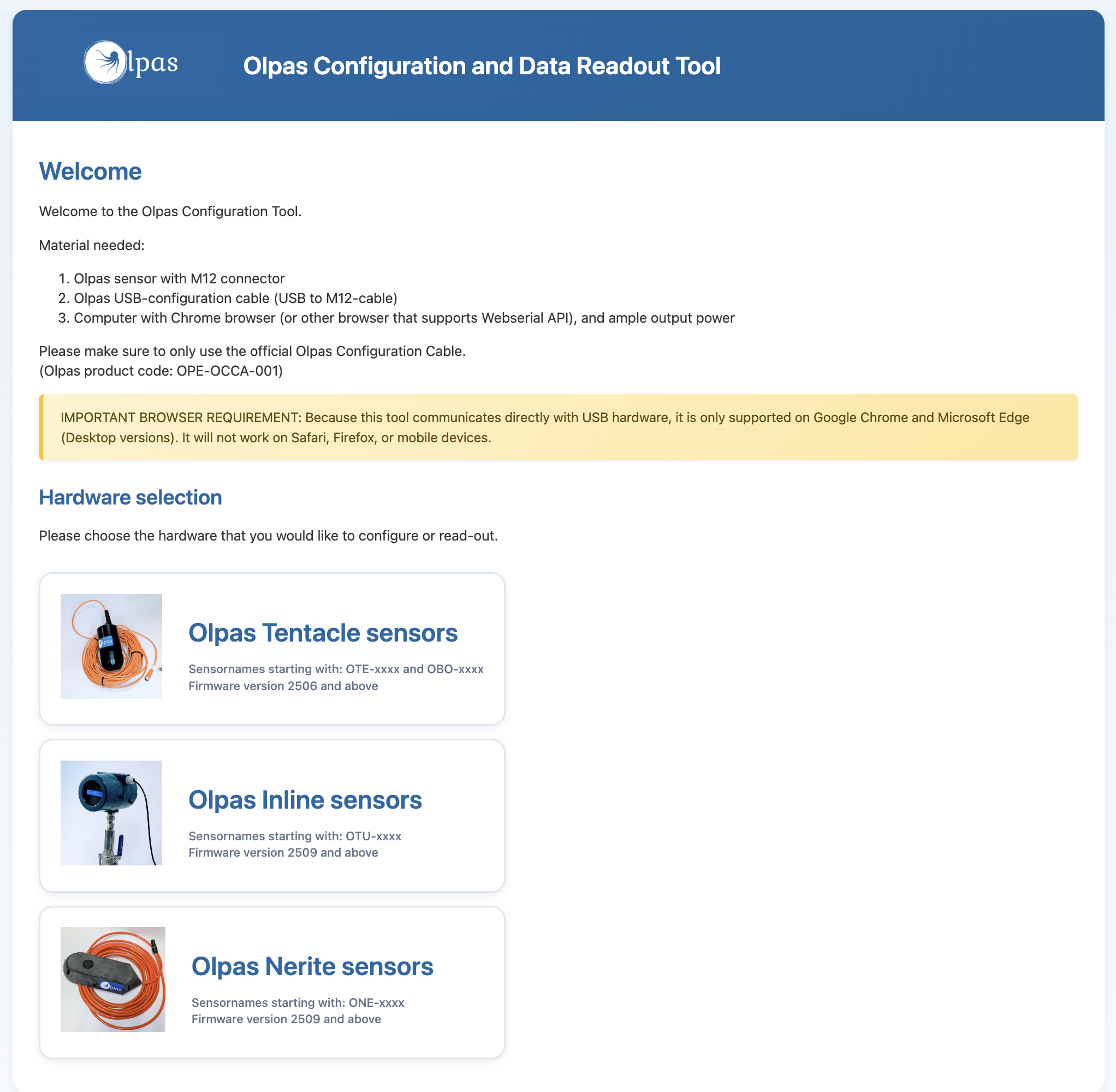
2. Supported Hardware
The application currently supports the following Olpas sensors:
|
Sensor Name |
Key Features |
|---|---|
|
Olpas Tentacle sensors (Firmware 2506 and above) |
Sensor optimised for submersible installation |
|
Olpas Inline sensors (Firmware 2509 and above) |
Sensor optimised for inline installation |
|
Olpas Nerite sensors (Firmware 2506 and above) |
Sensor optimised for fixed installation, and for measuring concentration, velocity and water height. |
3. Requirements
To use the TentApp successfully, ensure you have the following:
-
Computer: A Windows, Mac or Linux computer with a USB port.
-
Browser: You must use a browser that supports WebSerial. Here you can find an overview of all mainstream browsers supported: https://caniuse.com/web-serial
-
Currently Supported: Google Chrome (since 2021), Microsoft Edge (since 2021) or Opera.
-
Not Supported: FireFox, Safari (standard version).
-
-
Cables:
-
Olpas Configuration Cable (USB-to-M12) (Product Code:
OPE-OCCA-001)
-
-
Power: Ensure your laptop provides sufficient power via USB (standard 5V is required).
4. Safety Warnings
-
Unsaved Changes: The app will warn you if you try to disconnect or close the tab while you have unsaved settings (highlighted in yellow).
-
Cable Connection: Do not unplug the USB cable while the status bar says "Writing...". This could corrupt the sensor configuration.
Please note some Olpas sensors have specific feature sets or additional configurations. Always consult the manual of the correct sensor for details. Using the app with a wrong configuraton might result in a corrupted sensor configuration.
Contact your Olpas representative when you are in doubt.